How to send a WhatsApp broadcast in WatMark
Create a broadcast from start to finish: pick a template, personalize it, choose the audience and review before sending.
TutorialPublished Page updated
Chapters
How do you send a WhatsApp broadcast?
In WatMark, open Broadcasts and choose New broadcast. Name it, pick a template Meta has approved, insert fields such as the first name, and choose who gets it by tag. Check the preview and the recipient count, send yourself a test, then choose Review and send. People who opted out are always left out.
Send a broadcast, step by step
Choose a time to play the tutorial from that moment.
Open Broadcasts
The list shows each broadcast with its status and progress. You can filter it, or search by name or template.
Create a new broadcast
Choose New broadcast and give it a name. Only your team sees the name.
Choose an approved template
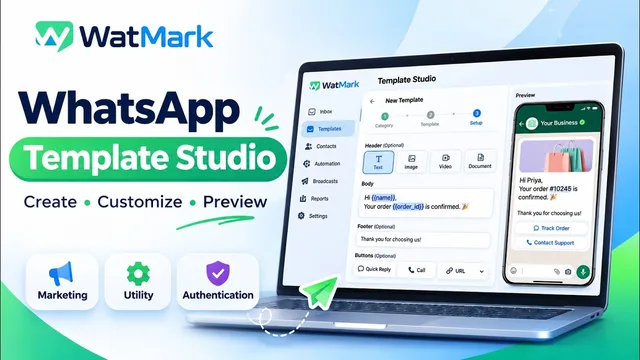
Search by name or message text. Only templates Meta has approved can be sent. A phone preview shows the message as WhatsApp will.
Personalize the message
Insert a field, such as the first name, so each person gets their own details. Set what to send when a contact has no value. An image or video header takes a public link that starts with https://.
Select the audience
Choose People with tags and pick one or more tags, or choose All contacts.
Refine the targeting
Leave out people with certain tags, match a contact field such as city or plan, or add specific numbers by pasting them or uploading a CSV.
Review and send
Check the recipient count. Save a draft or send a test to your own number, then choose Review and send. You can send now or pick a time.
What WatMark checks before it sends
- Opt-outs stay out
- People who unsubscribed, are blocked or opted out are always left out.
- Consent is confirmed
- Before a marketing send, you confirm that the contacts agreed to receive marketing messages from you on WhatsApp.
- Nobody gets two in a day
- People who got a marketing broadcast in the last 24 hours are skipped automatically, to protect your number.
- Meta’s limits still apply
- Marketing messages count toward Meta’s daily limit for your number and its cap per person. WatMark shows your number’s quality before you send.
If something goes wrong
- My template is not in the list
- Only approved templates appear. Create one under Templates. Meta usually approves within minutes, sometimes up to a day.
- Nobody would receive this
- Everyone in the audience is left out. Check the tags, the opt-outs and the 24-hour skip, then look at Recipients for the reason.
- Some messages were held by Meta’s marketing limit
- Meta limits how many marketing messages one person gets. Try those people again in a day or two, as a new broadcast.
- The report shows more replies than reads
- People who turned off read receipts can still reply, so their read is never reported.
Frequently asked questions
What is a WhatsApp broadcast?
A WhatsApp broadcast is one approved template sent to many people at once, with each person’s own details filled in. Every reply arrives as its own conversation in the shared inbox.
How much does a WhatsApp broadcast cost?
Meta bills each delivered message. In the UAE, a marketing message is AED 0.2115 and a utility message is AED 0.0576 from 1 October 2026, so 500 delivered marketing messages cost about AED 105.75. WatMark adds no fee or markup. Meta can revise the rates.
Can I send a broadcast to numbers that are not saved?
Yes. Paste the numbers or upload a CSV, with the country code. Those people still need to have agreed to hear from your business.
Can I schedule a WhatsApp broadcast?
Yes. Pick a time when you review the broadcast, at least a few minutes ahead.
Can I stop a broadcast after it starts?
Yes. Cancelling stops the messages that have not gone out. Messages already sent stay sent.
Can I see who received and read it?
Yes. The report shows who received, read and replied, with a reason for every failure. You can export recipients as a CSV, or tag a group and send them a follow-up.